
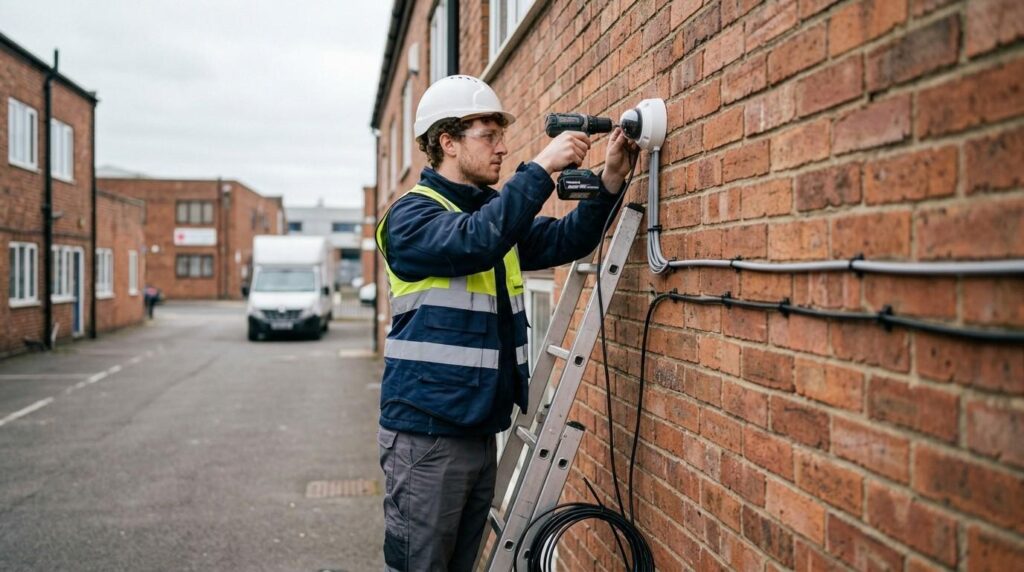
Security is no longer optional for UK businesses. From retail shops to warehouses and offices, the risks associated with theft, vandalism, and internal incidents continue to grow. This is where CCTV installation becomes essential, not only as a preventive measure but also as a practical way to monitor operations and protect assets.
CCTV systems act as a strong visual deterrent to thieves, significantly reducing the likelihood of burglary. Beyond prevention, CCTV cameras provide valuable evidence in the event of a crime, aiding in the identification of criminals and supporting investigations. Many insurers now recognise this, which is why having a CCTV system installed can lead to reduced insurance premiums, as insurers often view it as a risk mitigation measure.
For UK businesses, CCTV installation is not just about placing cameras on walls. It involves careful planning, understanding legal responsibilities, and choosing the right system based on specific security needs. Whether you are upgrading an existing CCTV system or planning a new CCTV system from scratch, each decision affects performance, compliance, and long-term costs.
At Proforce Security, businesses across the UK rely on practical, standards-based CCTV surveillance and installation services designed around real operational risks. This guide explains everything you need to know about CCTV installation, from system types to installation costs and legal compliance.
What is CCTV System and Why Do UK Businesses Need It?
Closed circuit television, commonly referred to as CCTV, is a system of security cameras used to monitor and record activity within a defined area. Unlike broadcast television, these systems are private and designed specifically for surveillance and security purposes.
Modern CCTV systems can include features such as infrared or colour night vision for low-light conditions and remote security monitoring capabilities via smartphones or tablets. This allows business owners and managers to monitor premises even when off-site, improving control and response times.
For UK businesses, the value of CCTV installation goes far beyond simple monitoring or recording the footage. They need professionally monitored CCTV systems that can actively deter intruders and trigger real-time responses.
Key Reasons Businesses Install CCTV Systems
Crime Prevention and Deterrence: Visible CCTV cameras act as a strong deterrent. Criminals are far less likely to target commercial premises that have a visible security camera system in place.
Staff and Customer Safety: Security cameras help monitor behaviour in real time, reducing risks in workplaces, especially in environments such as retail or hospitality.
Evidence Collection: High quality footage captured by CCTV cameras can be used in legal cases or internal investigations.
Operational Oversight: CCTV systems allow business owners to monitor workflows, customer interactions, and site activity efficiently, and in higher-risk environments this can be enhanced with 24/7 CCTV monitoring for businesses to ensure incidents are detected and acted on in real time.
Insurance Benefits: Installing CCTV can reduce insurance premiums by demonstrating proactive risk management.
Which Businesses Can’t Skip CCTV Installation
- Retail stores
- Warehouses and logistics centres
- Office buildings
- Restaurants and hospitality venues
- Industrial sites
Each of these environments has different security needs, which is why selecting the right CCTV system is critical.
Types of CCTV Cameras for Business Use
Choosing the right equipment is a key part of any CCTV installation. Not all CCTV cameras are designed for the same purpose, and selecting the wrong type can lead to poor coverage, blind spots, or unnecessary costs. For UK businesses, understanding the different camera types and technologies ensures the system matches the actual security needs of the premises.
There are three main types of CCTV systems: basic, wireless, and high-end systems.
- A basic CCTV system typically consists of 4 to 8 wired cameras that connect to a hard drive for footage storage. These are commonly used in small commercial premises where straightforward monitoring is required.
- Wireless CCTV systems allow for easier installation and flexibility in camera placement, as they connect over a network and can store footage in the cloud. This makes them suitable for businesses where running cables is difficult or where flexibility is needed.
- High-end CCTV systems capture video in full 4K or 1080P high-definition and often include features like night vision and remote viewing via connected apps. These systems are ideal for businesses that require high quality footage for identification purposes.
Understanding these categories helps when planning CCTV installation, as system type directly affects performance, installation complexity, and long-term usability.
CCTV Camera Technologies
When planning CCTV installation, it is also important to choose the underlying system technology.
Analogue HD Systems
These are traditional wired systems that use coaxial cables. They are cost-effective and reliable but may offer lower flexibility compared to modern systems.
IP Cameras (Internet Protocol Cameras)
IP cameras are part of a network-based security camera system. They provide higher resolution, easier scalability, and better remote access features. These are commonly used in modern CCTV systems.
Wireless CCTV Systems
Wireless systems connect via a network rather than physical cables. While they simplify installation, they depend heavily on a stable internet connection.
Hybrid Systems
Hybrid setups combine wired and wireless systems, allowing businesses to upgrade an existing CCTV system without replacing all components.
The type of camera chosen for the CCTV system can impact installation complexity, with wired systems generally requiring more extensive installation work compared to wireless systems.
Key Specifications to Compare
Selecting CCTV cameras is not only about shape or type. Technical specifications play a significant role in determining how effective the CCTV installation will be.
Resolution
Higher resolution cameras provide clearer images. Businesses that require identification, such as recognising faces or number plates, should consider 4MP or 4K cameras.
Night Vision
Many CCTV cameras include infrared detectors for night vision. This ensures visibility in low-light or complete darkness.
Lens Type
Fixed lenses are suitable for covering a specific area, while varifocal lenses allow adjustments to zoom and field of view.
Power Supply
Cameras may use a direct power cable or Power over Ethernet (PoE), which combines power and data in a single cable.
Motion Detection
Modern systems include motion detection features that trigger recording only when activity is detected, helping to save storage space.
Understanding how CCTV cameras work and comparing these specifications ensures that the commercial CCTV installation delivers reliable performance and meets business expectations.
The number of cameras required for a CCTV system is a primary factor affecting installation, as more cameras typically lead to increased installation time and costs. This makes it important to balance coverage with budget when selecting equipment.
How to Plan a CCTV System for Your Business

Effective CCTV installation starts long before any camera is mounted. Poor planning often leads to blind spots, wasted budget, and systems that fail to meet operational requirements. For UK businesses, a structured approach ensures that the CCTV system delivers both security and compliance.
The planning stage is crucial for a successful CCTV installation, where you should assess camera positions and create a diagram of your property to maximise security coverage. This applies to all environments, whether you are securing a small office, a retail unit, or a large commercial premises.
Start with a Full Site Survey
A detailed site survey is the foundation of any professional installation. This process involves physically inspecting the location to identify risks, access points, and environmental challenges.
Proper planning and assessment of camera locations are crucial for effective CCTV installation, as this helps to avoid blind spots and ensures comprehensive coverage of the property.
During a survey, consider:
- Entry and exit points
- High-risk areas such as cash handling zones
- External boundaries and car parks
- Internal movement areas
- Lighting conditions and night vision requirements
Site-specific factors, such as the type of building and its characteristics, can influence the installation process and costs, particularly in listed buildings or those requiring special considerations.
Identify Critical Areas and Security Needs
Every business has different security needs. A warehouse may prioritise stock protection, while an office may focus on access control and staff safety.
When planning CCTV installation, map out:
- High-value assets
- Areas with frequent activity
- Locations vulnerable to unauthorised access
- Zones where incidents are most likely to occur
This step ensures that your CCTV cameras are placed with purpose rather than guesswork.
Plan Camera Positions Carefully
Camera placement directly affects how well your CCTV systems perform.
Consider:
- Mounting height to prevent tampering
- Viewing angles to maximise coverage
- Avoiding obstructions such as walls or shelving
- Ensuring clear line of sight for high quality footage
The installation location of CCTV cameras can significantly affect the overall cost and complexity of the installation, with higher costs associated with hard-to-reach areas.
For example, cameras mounted on high walls or external structures may require specialist equipment, increasing labour time and installation complexity.
Determine the Number of Cameras
One of the most important decisions is how many cameras are required.
The number of cameras required for a CCTV system is a primary factor affecting installation, as more cameras typically lead to increased installation time and costs.
A small business may operate effectively with a single camera or four cameras covering key points, while larger sites may require more cameras to eliminate blind spots.
When deciding how many cameras you need, avoid over-installing or under-covering. The goal is balanced coverage that meets security needs without unnecessary expense.
Choose the Recorder Location
Every CCTV camera system requires a central recording device, either a digital video recorder or a network video recorder.
When planning CCTV installation, position this equipment:
- In a secure and locked area
- Close enough to cameras for efficient cabling
- With easy access for maintenance
- Near a stable internet connection for remote access
Storage setup for CCTV systems involves installing necessary hard drives and calculating storage capacity based on camera resolution and recording schedule.
Consider Future Expansion
Businesses evolve, and so do their security requirements. A well-planned commercial CCTV installation should allow for future upgrades.
This may include:
- Adding more cameras later
- Upgrading to higher resolution IP cameras
- Expanding storage capacity
- Integrating with other security systems
Planning ahead avoids the need for a complete system replacement later. A properly planned CCTV system reduces installation issues, controls costs, and ensures long-term performance. It also makes the installation process smoother for both business owners and professional installers.
CCTV Installation Process (Step-by-Step)
Once planning is complete, the next stage is the physical CCTV installation. This is where the design is put into practice. Whether carried out by a professional installer or experienced in-house staff, the process must follow a structured approach to ensure reliability, safety, and compliance.
The installation process typically involves mounting the cameras, running cables, and connecting the cameras to a recording device, which can take between four hours to one and a half days depending on the complexity of the system. Factors such as the number of cameras, building layout, and installation complexity all influence the timeframe.
Installing a residential CCTV system involves five core phases: planning the coverage, running the cables or power, mounting the hardware, configuring the network, and testing the angles. These same principles apply to commercial premises, although often at a larger scale.
1. Pre-Installation Preparation
Before you install a CCTV set, preparation is essential. This stage ensures all equipment, tools, and materials are ready. Key tasks include:
- Confirming camera locations from the site survey
- Checking power sources and power sockets
- Measuring cable runs and preparing conduits
- Verifying compatibility of the CCTV camera system components
A well-prepared setup reduces delays and avoids costly errors during installation.
2. Running Cables and Setting Up Power
For wired systems, running cables is one of the most time-consuming steps of installing CCTV. This involves routing cables through walls, ceilings, or external conduits.
Important considerations:
- Keep cable lengths below 400 feet to maintain signal quality
- Use high-quality wiring for long-term reliability
- Protect cables from environmental damage
- Ensure safe routing around high traffic areas
Wireless CCTV systems simplify this stage, but they still require stable power sources and a reliable internet connection.
The type of camera chosen for the CCTV system can impact installation complexity, with wired systems generally requiring more extensive installation work compared to wireless systems.
3. Mounting the CCTV Cameras
Once cables and power are in place, cameras can be mounted. Best practices include:
- Mount cameras high enough to prevent tampering
- Position cameras for clear viewing angles
- Avoid direct exposure to glare or strong light
- Ensure external cameras are suitable for weather conditions
For wired systems, it is essential to weatherproof all connections and ensure cameras are mounted high enough to prevent tampering while maintaining good viewing angles. Mounting also plays a role in acting as a visible deterrent. Best CCTV system with visible cameras can discourage unwanted activity before it occurs.
4. Connecting to DVR or NVR
After mounting, each security camera is connected to a recording device. There are two main options:
- Digital video recorder for analogue systems
- Network video recorder for IP cameras
This stage involves:
- Terminating connectors
- Labelling each camera feed
- Connecting the system to a monitor
- Ensuring proper signal transmission
A properly configured recorder is essential for storing high quality footage and enabling future playback.
5. Network Configuration and Remote Access
Modern CCTV systems often include remote viewing features. CCTV systems can include features such as infrared or colour night vision for low-light conditions and remote viewing capabilities via smartphones or tablets. To enable this, CCTV companies must:
- Connect the system to the internet
- Assign IP addresses to each camera
- Configure secure login credentials
- Set up remote access via apps or browsers
A stable internet connection is critical at this stage, especially for wireless CCTV systems and cloud storage options.
6. Testing and System Checks
After installation, testing and troubleshooting are necessary to ensure all cameras are functioning correctly and that images are visible on the monitoring device. This includes:
- Checking camera angles and coverage
- Verifying night vision performance
- Testing motion detection
- Confirming recording and playback functionality
Any blind spots or technical issues should be corrected immediately. After installation, testing ensures that everything works as expected.
7. Final Setup and Handover
The final stage of CCTV installation involves system handover.
This includes:
- Demonstrating how the CCTV system works
- Providing login credentials securely
- Explaining remote viewing and playback features
- Offering maintenance guidance
Annual maintenance costs for CCTV systems typically start from around £100, which should be factored into the overall budget for security.
A professional installation ensures that the system is reliable, compliant, and ready for long-term use. Businesses that choose experienced professional security services benefit from technical expertise, proper setup, and ongoing support.

CCTV Installation Costs in the UK (2026 Guide)
Understanding CCTV installation cost is one of the most important steps for any business planning a new system. Prices in the UK vary widely depending on several factors, including system type, number of cameras, installation complexity, and the level of technical expertise required.
The average cost of CCTV installation in 2026 is around £550, but prices can vary significantly based on the number of cameras and the type of system chosen. For commercial premises, costs are typically higher due to compliance requirements, larger coverage areas, and the need for higher quality footage.
Average CCTV Installation Costs for Businesses
For a realistic budget, it is important to look at typical price ranges across different setups.
- Small business systems (4 cameras): from £799
- Medium business systems (8 cameras): from £1,499
- Large commercial sites (16+ cameras): from £2,499 and above
For small businesses, CCTV installation often falls between £1,200 and £5,000 depending on system type and site requirements.
For more complex projects, such as warehouses or multi-building sites, costs can exceed £10,000 due to advanced features and extended cabling. These figures highlight that there is no single price point. Instead, CCTV installation cost depends on how the system is designed.
Cost by System Type
The type of CCTV system you choose has a direct impact on both upfront and long-term costs.
Wired CCTV Systems
- Installed cost: typically £800 to £2,500+ excluding VAT
- Higher installation complexity due to running cables
- More reliable for long-term use
Wireless CCTV Systems
- Installed or DIY cost: £250 to £1,200
- Easier to install with fewer cables
- May involve cloud storage subscription costs
Wireless CCTV systems typically cost between £450 and £750 + VAT for installation, depending on the number of cameras included in the setup.
Basic Wired Systems
- A basic wired CCTV system with four cameras starts from £800 + VAT
- An 8-camera system can cost around £1,000 + VAT
These systems are commonly used for small commercial premises where a straightforward security camera system is sufficient.
Key Factors That Affect CCTV Installation Cost
Several factors influence how much you will pay for CCTV installation:
1. Number of Cameras
The number of cameras required for a CCTV system is a primary factor affecting installation, as more cameras typically lead to increased installation time and costs.
2. Installation Complexity
The installation location of CCTV cameras can significantly affect the overall cost and complexity of the installation, with higher costs associated with hard-to-reach areas.
For example:
- Installing cameras on high walls
- Routing cables through solid structures
- Covering large commercial premises
3. System Type
Wired systems require running cables and more labour, while wireless systems reduce installation time but may require stronger network infrastructure.
4. Storage and Recording Equipment
CCTV installation cost calculator will consider whether you use a digital video recorder or a network video recorder, as well as storage capacity.
Storage setup for CCTV systems involves installing necessary hard drives and calculating storage capacity based on camera resolution and recording schedule.
5. Site-Specific Factors
Site-specific factors, such as the type of building and its characteristics, can influence the CCTV camera installation process and costs, particularly in listed buildings or those requiring special considerations.
Ongoing Costs to Consider
CCTV installation is not just a one-time expense. Businesses should also budget for ongoing costs once their CCTV installed and became functional.
Maintenance: Annual maintenance costs for CCTV systems typically start from around £100, which should be factored into the overall budget for security.
Cloud Storage: Wireless CCTV systems may require monthly payments for cloud storage.
Repairs and Upgrades: Over time, cameras, cables, or recording devices may need replacement.
UK CCTV Laws & GDPR Compliance for Businesses
CCTV installation in the UK is not only a technical process but also a legal responsibility. Businesses must ensure that their CCTV systems comply with data protection laws, particularly when cameras capture identifiable individuals.
The main legislation governing CCTV use is the Data Protection Act, supported by UK GDPR principles. These laws apply to any organisation using CCTV cameras where individuals can be identified.
If your cameras capture areas outside your boundary, you are legally a data controller and must ensure compliance with the ICO (Information Commissioner’s Office) guidelines.
Understanding Your Legal Responsibilities
When installing CCTV in commercial premises, businesses must have a clear and lawful reason for recording. This is known as having a lawful basis.
Common lawful purposes include:
- Preventing crime
- Protecting staff and customers
- Monitoring business operations
- Securing property and assets
However, CCTV installation must always be proportionate. This means you should only record areas necessary for your stated purpose.
For example, installing cameras inside private areas or spaces where individuals expect privacy can lead to legal issues.
CCTV Signage Requirements
One of the most visible legal requirements is signage.
Businesses must display clear warning signs to inform people that CCTV cameras are in operation. These signs should:
- Be clearly visible before entering the monitored area
- State the purpose of recording
- Include the name of the business or responsible party
Warning signs not only support legal compliance but also act as a visible deterrent to potential offenders.
Data Storage and Retention Rules
CCTV systems record and store personal data, which means businesses must manage this data responsibly and as per the UK government’s regulations.
Key requirements include:
- Store footage securely to prevent unauthorised access
- Limit access to authorised personnel only
- Define how long footage is retained
- Delete recordings when they are no longer needed
There is no fixed retention period under UK law, but businesses must justify how long they keep recordings. For most commercial premises, retention periods range from 14 to 31 days depending on operational needs.
Storage setup for CCTV systems involves installing necessary hard drives and calculating storage capacity based on camera resolution and recording schedule.
Access Requests and Data Rights
Individuals have the right to request access to footage in which they appear. This is known as a Subject Access Request.
Businesses must:
- Respond within the required timeframe
- Provide footage where applicable
- Ensure third-party identities are protected
Failure to comply with these requests can lead to enforcement action.
Positioning Cameras Legally
Camera placement is a critical part of compliant CCTV installation.
Businesses should:
- Avoid capturing neighbouring properties unnecessarily
- Limit coverage of public spaces unless justified
- Ensure cameras inside premises respect staff privacy
Proper planning and assessment of camera locations are crucial for effective CCTV installation, as this helps to avoid blind spots and ensures comprehensive coverage of the property while maintaining compliance.
Employee Monitoring Considerations
If CCTV cameras are used in workplaces, businesses must be transparent with employees.
This includes:
- Informing staff about camera usage
- Explaining the purpose of monitoring
- Avoiding excessive surveillance
Monitoring should never be intrusive or unjustified, as this can breach privacy laws.
Get Expert CCTV Installation for Your Business
If you are planning a CCTV installation for your commercial premises, working with experienced professionals makes a clear difference. A properly designed CCTV system not only improves security but also ensures compliance with UK regulations and long-term reliability.
At Proforce Security, every CCTV installation is approached with a focus on your specific security needs. From initial site survey to final setup, their team delivers tailored security camera installation services using high quality CCTV cameras and proven systems. Whether you require a small setup with a single camera or a full-scale CCTV camera system with remote access and cloud storage, the solution is built to match your environment.
Choosing a professional installer reduces the risks associated with poor placement, weak network configuration, or incomplete coverage. It also ensures that your CCTV systems are installed efficiently, with attention to detail in running cables, configuring the network video recorder, and securing all components.
If you are considering installing CCTV or upgrading an existing CCTV system, now is the right time to take action. Speak with Proforce Security team to arrange a site survey and receive a clear, tailored quotation based on your requirements.


